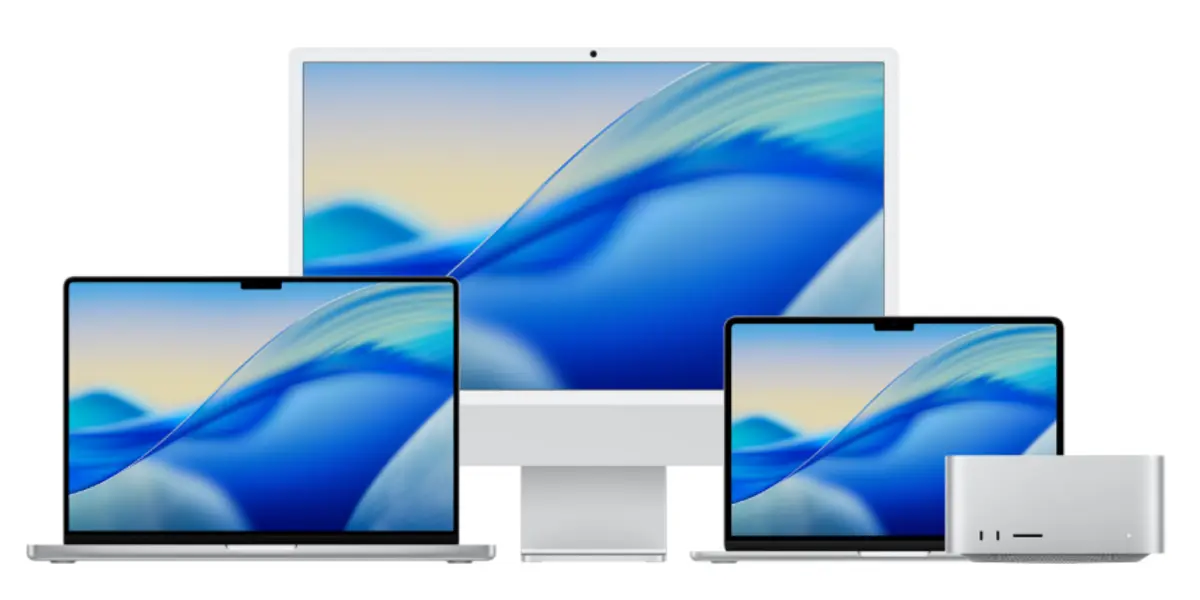
Choosing an Apple Mac for engineering requires a different strategy than picking one for creative work like video editing or photography.
While creatives focus on colour accuracy and GPU rendering speeds, engineers need to look at raw computational endurance, memory bandwidth, and strict hardware-to-software compatibility.
To get the best return on your investment, follow this structured four-step decision matrix.
Our Recommendations
- 10 Best Laptops for Civil 3D and Revit Right Now
- How to Choose the Best Laptop for Architecture in 2026
- The Best Gifts For Engineers To Make Them Smile in 2026
- Best Engineering Books For Engineers
- Best Laptop Brands For Engineers | All You Need To Know
- Home Furniture | Meaning and Type You Should Know In 2026
- Best Drones for Surveying and Mapping: Guide for Engineers
- 9 Best Monitors For Engineers and Architects 2026
- The 10 Usefully Measuring Tools and Equipment Right Now
Please Note: This Post Contains Affiliate Links. I may earn a commission if you make a purchase, at no additional cost to you. As an independent Blogger, I use affiliate links to keep my website free. I only recommend products and services that add value to my readers. However, this is not a sponsored post. Learn More.
Step 1: The Software Audit (The Ultimate Gatekeeper)
Before considering screen sizes or processor variants, list every piece of software you will use over the next 3 to 5 years.
Apple Silicon utilises an ARM-based architecture, meaning software behaves differently compared to traditional Intel or AMD chips.
Your software will fall into three distinct compatibility tiers:
- Native Apple Silicon: Runs perfectly with full optimisation. (Examples: MATLAB, Python/R environments, Docker, Autodesk AutoCAD for Mac, Vectorworks, Graphisoft Archicad).
- Rosetta 2 Translation: Built for older Intel Macs but translated automatically by macOS. Performance is still excellent.
- Windows-Only: Will not run directly on macOS. (Examples: SolidWorks, Autodesk Revit, Autodesk Inventor, Altium Designer, and most PLC programming software, such as Siemens TIA Portal).
The Workaround Rule: If your essential software is Windows-only, you will need to run a virtual machine like Parallels Desktop.
Virtualisation splits your Mac’s hardware resources in half to run Windows in a virtual machine. If your daily workflow relies heavily on these apps, you must spec your Mac with double the memory (RAM) you normally would, or consider a dedicated Windows workstation instead.
Step 2: Choose Your Form Factor & Thermal Design
Engineers often run sustained workloads—such as compiling massive codebases, rendering 3D structural models, or performing loop-heavy calculations.
This makes thermal management a major deciding factor.
The Fanless Option (MacBook Air)
The MacBook Air has no internal fan. It relies entirely on passive cooling through its aluminium chassis.
- The Mechanic: When you push the processor hard for more than 10 minutes, it will intentionally slow down its performance (thermal throttling) by roughly 15% to 20% to keep from overheating.
- The Verdict: Ideal if your engineering work is highly portable, involves light coding, 2D drafting, or site inspections.
The Actively Cooled Option (MacBook Pro)
The MacBook Pro line features robust internal fans and dual-sink thermal designs.
- The Mechanic: The fans allow the chip to run at its maximum clock speed indefinitely without throttling performance, regardless of how long a simulation takes.
- The Verdict: Necessary for structural analysis, 3D modelling, and local data science modelling.
The Desktop Workstation (Mac Studio or Mac mini)
If portability isn’t required, a desktop Mac offers massive cooling fins and an expansive selection of rear ports.
- The Mechanic: It offers the highest sustained power limits and memory configurations, making it the premier choice for complex processing.
Step 3: Decode Apple Silicon (Base vs. Pro vs. Max)
Apple’s chip naming conventions dictate exactly how many heavy tasks the machine can process simultaneously.
- Base Chips (M-Series Base): Best for students and general software development. They are highly capable but have limited memory bandwidth and external display support (typically two external monitors, sometimes only when the laptop lid is closed).
- “Pro” Chips (M-Series Pro): The sweet spot for most engineers. They feature higher memory bandwidth (allowing data to flow to the processor faster) and natively support multiple external monitors without workarounds.
- “Max” or “Ultra” Chips (Max / Ultra): Built for extreme workflows. Choose this tier if you are training local Machine Learning models, processing massive LiDAR point cloud data, or handling large 3D assemblies.
Step 4: Map Specs directly to Your Engineering Field
Because Apple Silicon integrates the memory directly onto the processor chip, you cannot upgrade the RAM or SSD after purchase.
Use this tailored specification matrix to align your hardware configuration with your specific discipline:
| Engineering Discipline | Primary Tools Used | Recommended Chip Tier | Memory (Unified RAM) | Storage Target |
| Software / DevOps / Web | Docker, VS Code, Git, Xcode | Base or Pro | 24GB | 512GB |
| Civil / Structural / BIM | AutoCAD, Archicad, ETABS (via VM) | Pro | 36GB | 1TB |
| Data Science / AI / ML | Python, Jupyter, TensorFlow, R | Max | 48GB to 64GB | 1TB or 2TB |
| Mechanical / Electrical | SolidWorks (via VM), MATLAB, Altium | Pro or Max | 36GB to 48GB | 1TB |
The Golden Rules of Ordering
- Prioritise RAM over Storage: If you run low on storage space, you can always plug in a fast external SSD. If you run out of unified memory while running a heavy script or virtual machine, your system performance will drop instantly.
- Skip the Base 8GB Configurations: For modern professional engineering tasks, 8GB is obsolete; 16GB is the baseline for general multitasking. Aim for at least 24GB or 36GB to ensure smooth performance across virtualised environments and heavy IDEs.
Why Engineers Prefer Using Mac
It’s not a secret that plenty of Engineers prefer to use Apple computers for their work for decades, it’s due to the high color accuracy, image quality, and ease of use for designers at the same time that some major design software like Sketch is only compatible with iOS, in addition, the last Apple products have high-end retina display that will make your design work much easier.
MacBook or iMac?
What is best to buy? MacBook or iMac? It is a frequent question many Engineers ask, but the answer is much easier than you think.
Of course, you can buy both if you have the budget, but if you need to choose one, you should first consider what kind of engineer you are.
For those Engineers who want to have their office and decorate it how they like and don’t move a lot from it, you should go for a desktop iMac, but if you are an engineer who wants to work everywhere and you move from place to place constantly, the best for you is a MacBook.
Best Apple Macs For Engineers
The following list reveals the best Apple Macs for Engineers:
1. MacBook Pro 14” (Best Balanced Performance for Designers)
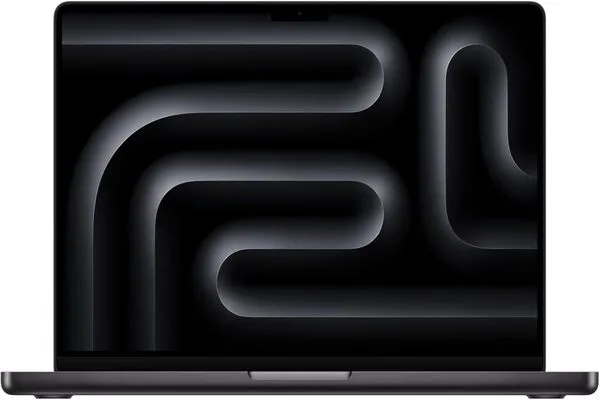
Specs: 14.2-inch Liquid Retina XDR display, Apple M5 Pro/M5 Max chip, up to 36GB of unified memory, up to 2TB SSD storage, integrated GPU (up to 40 cores in Max Chip), up to 24 hours of battery life.
The MacBook Pro 14” hits a sweet spot for graphic designers who want serious performance without carrying a larger machine.
It’s powerful enough for branding, UI/UX, illustration, and even motion work, while still being compact enough for daily portability.
The Liquid Retina XDR display offers excellent colour accuracy, deep contrast, and high brightness, which makes it ideal for working on detailed visual projects.
With Apple’s latest M5 Pro and M5 Max chips, this machine handles heavy Adobe workflows, Figma files, and multitasking without slowing down.
It’s a reliable choice for designers who need performance on the go but don’t necessarily want the size and weight of the 16”.
View At Amazon2. MacBook Pro 16” (Best High-End Laptop for Graphic Designers)
Specs: 16.2-inch Liquid Retina XDR display, Apple M5 Pro / M5 Max chip, up to 48GB unified memory, up to 2TB SSD storage, integrated GPU (up to 40-core in Max Chip), up to 24 hours battery life.
The MacBook Pro 16” is built for Engineers/designers who work on demanding projects and need a larger screen to manage complex compositions.
Whether you’re working on large-scale branding systems, editorial layouts, or motion graphics, the extra screen space noticeably improves workflow efficiency.
Powered by M5 Pro and M5 Max chips, it delivers consistent performance across heavy tasks like rendering, multitasking, and working with large files.
This is the laptop for designers who treat their machine as a full workstation and don’t want compromises.
View At Amazon3. MacBook Air (M5 and M4) (Best Affordable Apple Laptop)
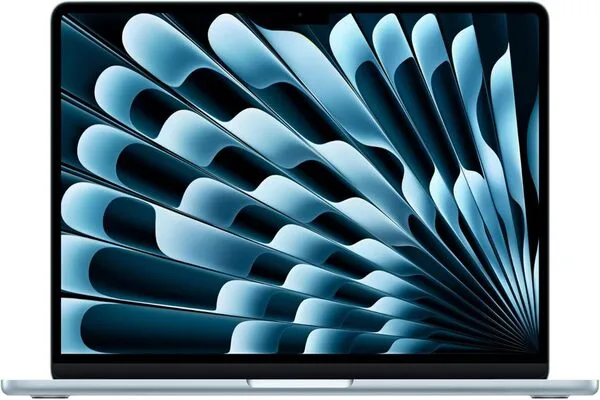
Specs: 13.6-inch / 15-inch Liquid Retina display, Apple M4 / M5 chip, up to 24GB unified memory, up to 1TB SSD storage, integrated GPU, up to 18 hours battery life.
For Engineers/designers whose offices are always changing and who value the mobility of their graphic design tools, the Apple MacBook Air is the most affordable Apple laptop, giving you an extraordinary work experience.
The MacBook Air with M4 and M5 chips is ideal for engineers/designers who prioritise portability and efficiency.
It handles tools like Photoshop, Illustrator, and Figma smoothly for most day-to-day tasks, making it perfect for engineering students, freelancers, or designers working on lighter projects. The fanless design keeps it silent, and the battery life makes it reliable for working anywhere.
View At Amazon4. iMac (Best All-in-One for Engineers)
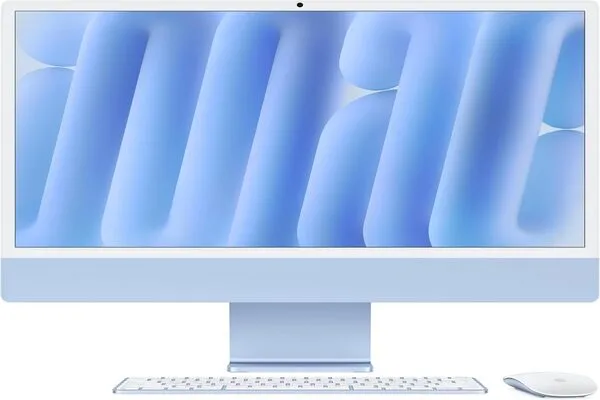
Specs: 24-inch 4.5K Retina display, Apple M4 chip, up to 32GB unified memory, up to 2TB SSD storage, integrated GPU (up to 10-core), macOS Computer Monitors
The iMac remains one of the cleanest desktop setups for engineers/graphic designers. It’s designed for those who want a fixed workspace with minimal clutter, combining performance and a high-quality display in a single device.
The 24-inch 4.5K Retina display delivers sharp visuals and accurate colours, making it ideal for branding, digital design, and content creation.
With Apple’s M4 chip, the iMac handles most design workflows efficiently, from vector work to moderate photo editing.
It’s especially appealing for engineers/designers who value aesthetics in their workspace alongside functionality.
View At Amazon5. Mac Mini (Best Budget Desktop Option)
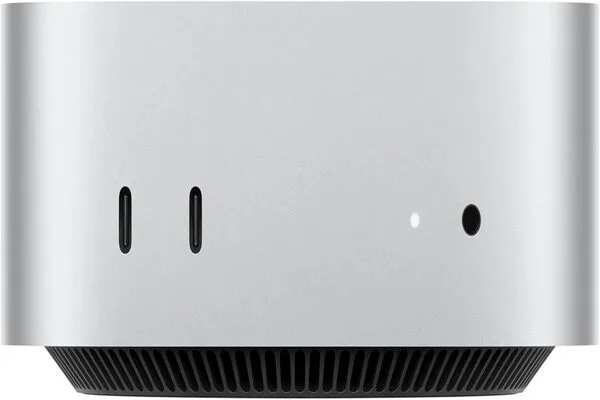
Specs: Apple M4/M4 Pro chip, up to 64GB of unified memory, up to 8TB SSD storage, integrated GPU (up to 20 cores), compact form factor.
The Mac Mini is a strong entry point for engineers/designers who want desktop performance without spending too much.
It’s compact, flexible, and powerful enough for most graphic design tasks when paired with a good external monitor. This makes it a practical option for freelancers or beginners setting up a workspace.
With M4 and M4 Pro configurations, it can handle Adobe Creative Cloud, Figma, and other tools smoothly. Its small size also makes it easy to integrate into any setup without taking up space.
View At Amazon6. Mac Studio (Best Professional Workstation for Engineers)
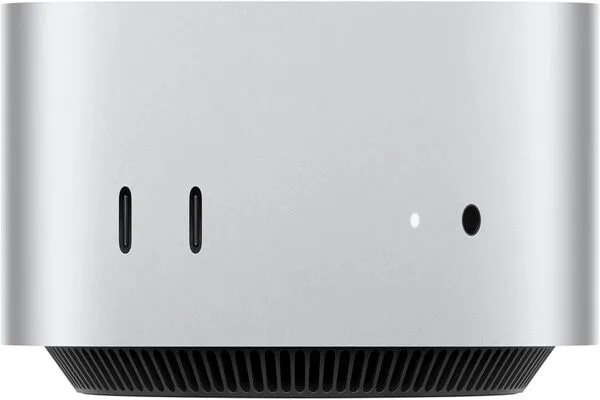
Specs: Apple M4 Max/M3 Ultra chip, up to 128GB unified memory, up to 16TB SSD storage, advanced GPU (up to 80 cores), multiple high-speed ports.
The Mac Studio is built for engineers/designers working at a high level, especially those dealing with large files, 3D work, motion graphics, or complex creative pipelines.
It’s significantly more powerful than the Mac Mini and is designed for professionals who need consistent, high-end performance.
With M4 Max and M3 Ultra chips, it handles intensive workloads effortlessly. This is the machine for engineers/designers who don’t want limitations—whether working in Adobe, Blender, Cinema 4D, or multitasking across multiple heavy applications.
View At AmazonConclusion
Choosing the best Apple Mac for engineers/graphic design in 2026 comes down to how—and where—you work.
If you need mobility and flexibility, the MacBook lineup gives you everything from lightweight efficiency to full workstation-level performance.
If your workflow is more studio-based, desktops like the iMac, Mac Mini, or Mac Studio offer cleaner setups and more sustained power for demanding projects.
What really matters isn’t just specs—it’s matching the machine to your creative process. A well-chosen setup will feel invisible as you work, letting you focus entirely on design rather than performance limitations.
Whether you’re building brand systems, designing interfaces, or exploring motion and 3D, the right Mac becomes a tool that supports your ideas without friction.
Invest in what aligns with your workflow today—but also what will grow with you.
What is the best Apple Mac you are using? Use the comment sheet.
Like Our Page on Facebook | Share — to educate another engineer today!
Thank You.