
In structural engineering and Building Information Modelling (BIM), your laptop is far more than just a device for checking emails or writing reports.
It is your primary production environment. Running finite element analysis (FEA) on complex building geometries or manipulating dense, coordinated 3D models in Autodesk Revit or Bentley OpenBuildings requires serious computational power.
Choosing the wrong machine means dealing with viewport lag, agonisingly slow rendering times, and frequent “Out of Memory” crashes.
This guide breaks down the critical hardware architectures required for engineering workloads in 2026, ensuring you spend your budget on specs that actually accelerate your daily workflow.
Please Note: This Post Contains Affiliate Links. I may earn a commission if you make a purchase, at no additional cost to you. As an independent Blogger, I use affiliate links to keep my website free. I only recommend products and services that add value to my readers. However, this is not a sponsored post. Learn More.
The Core Hardware Architecture: What Matters Most?
When looking at laptop specifications, it is easy to get distracted by high core counts or gaming-focused marketing.
Engineering software utilises hardware differently than games or video editing suites. Here is what you need to look for under the hood.
1. The CPU: Clock Speed Over Core Count
A common misconception is that more processor cores equal faster BIM performance. However, core modelling applications like Autodesk Revit and AutoCAD remain largely single-threaded. This means the majority of your daily geometric editing tasks run on just one CPU core.
- What to look for: Prioritise single-core clock speed over massive core counts. You want a base clock speed of at least 3.0 GHz and a turbo boost that pushes past 5.0 GHz.
- 2026 Recommendations: Look for laptops equipped with Intel Core Ultra 7/9 processors (H-series) or AMD Ryzen AI 9 HX chips. These processors combine high single-core efficiency with dedicated Neural Processing Units (NPUs) to handle background data processing.
2. RAM: The Secret to Stability
If you work with dense BIM projects or coordinate cross-discipline models (Architecture + Structural + MEP) in Navisworks, RAM is your most critical bottleneck. When your system runs out of physical RAM, it writes data to your hard drive instead, causing your entire laptop to grind to a halt.
- Minimum: 32GB DDR5 RAM. This is the baseline for handling standard commercial structural models.
- Recommended: 64-96GB of DDR5 RAM. If you regularly open models larger than 200MB or manage multi-layered point cloud scans, 64GB is mandatory to prevent “Out of Memory” desktop crashes.
3. GPU: Enterprise vs. Consumer Graphics
Should you choose an enterprise workstation GPU (formerly Quadro, now Nvidia RTX Ada Generation) or a gaming GPU (Nvidia GeForce RTX 40/50 series)?
- Enterprise Workstation GPUs (e.g., Nvidia RTX 2000/3000 Ada): These graphics cards feature ISV (Independent Software Vendor) certification. Software companies like Autodesk, Bentley, and Nemetschek extensively test and optimise their drivers for these cards. If you need 100% viewport stability, precise line rendering, and direct software support, enterprise cards are the professional choice.
- Consumer/Gaming GPUs (e.g., Nvidia GeForce RTX 4070/5070): These offer incredible raw rendering power for real-time visualisation engines like Enscape, Twinmotion, or Lumion at a lower price point. However, they lack specialised ISV driver support, which can occasionally lead to minor viewport artefacts in pure CAD applications.
Also Read:
- Missed the sale? Prime Day is over, but you can still score huge discounts on OLED TVs, Sony headphones, and Apple Watches
- Amazon Is Still Clearing Out DeWalt Tools After Prime Day—Up to 60% Off Power Tools
- The Best Deals This Week On Patio Furniture—Up to 40% Off Conversation Sets, Fire Pits, and More
2026 System Requirements Cheat Sheet
Use this quick reference table to match your engineering workload to the correct hardware tier:
| Component | Standard Structural Design Tier (ETABS, AutoCAD, Light Revit) | High-Demand BIM Management Tier (Heavy Revit, Navisworks, Point Clouds) |
| Processor (CPU) | Intel Core Ultra 7 / AMD Ryzen 7 (Min 4.8 GHz Turbo) | Intel Core Ultra 9 / AMD Ryzen AI 9 (5.1+ GHz Turbo) |
| Memory (RAM) | 32GB DDR5 | 64GB or 96GB DDR5 |
| Graphics (GPU) | Nvidia RTX 2000 Ada / GeForce RTX 4060 (8GB VRAM) | Nvidia RTX 3000/3500 Ada / GeForce RTX 5070 (12GB+ VRAM) |
| Storage (SSD) | 1TB NVMe PCIe Gen 4 M.2 SSD | 2TB NVMe PCIe Gen 4/5 M.2 SSD (Read speeds > 7000MB/s) |
| Display | 15.6″ – 16″ FHD+ (1920×1200) IPS | 16″ QHD+ (2560×1600) or UHD+ 100% DCI-P3 Color Accuracy |
Thermal Management and Portability
A laptop can have the fastest processor on paper, but if it cannot dissipate heat effectively, it will automatically throttle its performance to prevent overheating.
True engineering mobile workstations—like the Lenovo ThinkPad P16 Gen 3, Dell Precision 5690, or HP ZBook Power G11—are intentionally thicker and slightly heavier than standard consumer laptops.
They are designed with dual-fan arrays and dedicated vapour chambers to maintain maximum clock speeds over long periods of structural analysis calculations or overnight rendering tasks.
If you are a field engineer who spends half their day on a construction site, look for a rugged aluminium chassis with an ISV-certified 14-inch to 16-inch screen that balances thermal performance with structural durability.
Summary Checklist for Buyers
Before you enter your credit card information, double-check your custom laptop build against this final workflow checklist:
- [ ] Is the RAM upgradeable? Avoid laptops with soldered RAM when buying a 32GB model. You want the flexibility to upgrade to 64GB or more in the future.
- [ ] Does it have a dedicated numeric keypad? If you input structural coordinate data, beam schedules, or load combinations all day, a full keyboard layout saves hours of frustration.
- [ ] Are the software drivers certified? If your firm relies on enterprise-level tech support from Autodesk or Bentley, make sure the graphics card selected appears on their official hardware certification matrix.
Best Laptops for Structural Engineers & BIM Managers
Here are the best 10 laptops for structural engineers and BIM managers in 2026, configured for severe computational workloads:
Tier 1: Heavyweight Powerhouses (Maximum Thermal Overhead & RAM)
These machines feature massive chassis designs optimised to maintain peak CPU clock speeds during sustained finite element analysis (FEA) processing without thermal throttling.
1. Dell Pro Max 18 Plus
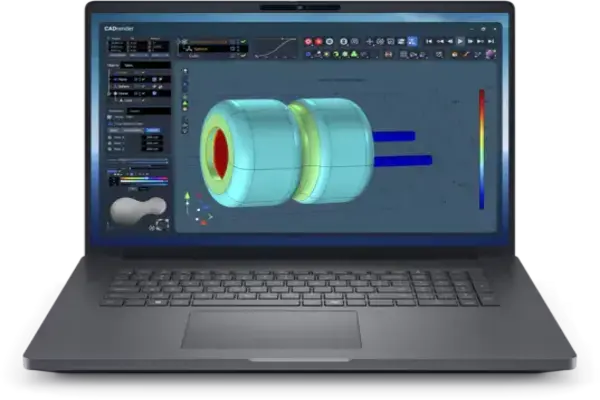
As one of the Best Laptops for Structural Engineers & BIM Managers, Dell Pro Max 18 Plus is the ultimate desktop replacement for data-heavy BIM managers.
Its massive 18-inch frame allows for incredible expansion, making it a complete portable server for local files.
- Key Architecture: Up to Intel Core Ultra 9 285HX, Nvidia RTX PRO 5000 (Blackwell Architecture), up to 128GB of DDR5 RAM.
- The Structural Edge: Provides unmatched storage layout capacity (fits up to four independent M.2 NVMe SSD drives), allowing you to cache massive point-cloud laser scans locally without external drives.
2. Lenovo ThinkPad P16 Gen 3
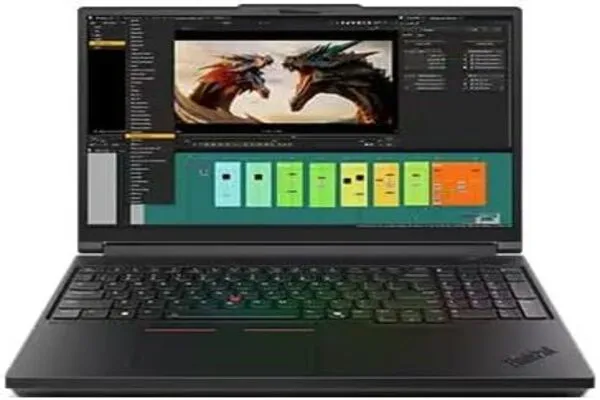
As one of the Best Laptops for Structural Engineers & BIM Managers, the Lenovo ThinkPad P16 Gen 3 is the gold standard for pure structural drafting and analytical computation. Built like a tank with legendary reliability and a stellar thermal cooling architecture.
- Key Architecture: Intel Core Ultra 9 285HX, Nvidia RTX PRO 3000 or 5000 Blackwell, up to 192GB DDR5 (Fully upgradeable).
- The Structural Edge: Features a dedicated numeric keypad essential for fast structural load and coordinate input. The modular RAM design allows you to scale up to 192GB as coordinated project models grow.
3. HP ZBook Fury 16 G11
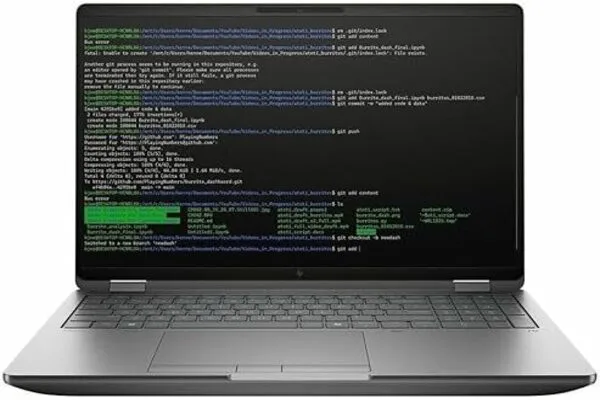
HP’s premier expandable heavy-duty workstation is highly favoured by corporate engineering firms for its elite enterprise-grade security features.
- Key Architecture: Intel Core i9-14900HX / Core Ultra Series, Nvidia RTX 3500/5000 Ada, up to 128GB RAM.
- The Structural Edge: Armed with HP Wolf Security at the hardware level to protect sensitive, proprietary structural asset designs and government infrastructure files.
Tier 2: Slim & Balanced Workstations (Portability & Power)
Engineered for design engineers and project managers who split their schedules evenly between the corporate office, client review meetings, and the job site.
4. Dell Pro Max 16 Plus
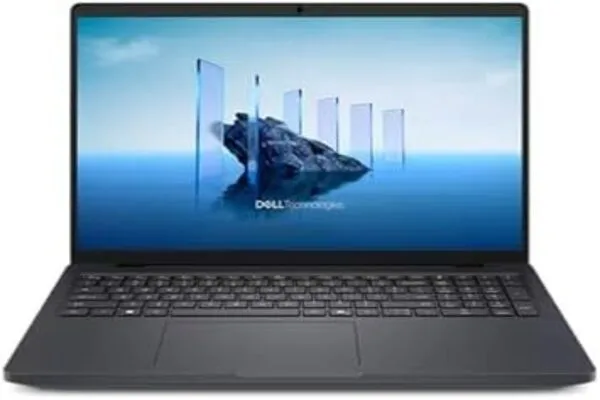
As one of the Best Laptops for Structural Engineers & BIM Managers, Dell Pro Max 16 Plus is a beautifully balanced 16-inch system that fits comfortably in a standard backpack while maintaining desktop-class computing capabilities.
- Key Architecture: Intel Core Ultra 9 285HX, Nvidia RTX PRO 3000 Blackwell (12GB VRAM), up to 64GB of DDR5 RAM.
- The Structural Edge: Features native dual Thunderbolt 5 ports. This allows a single-cable connection to drive three external 4K structural monitors on your main desk setup.
5. Lenovo ThinkPad P1 Gen 8
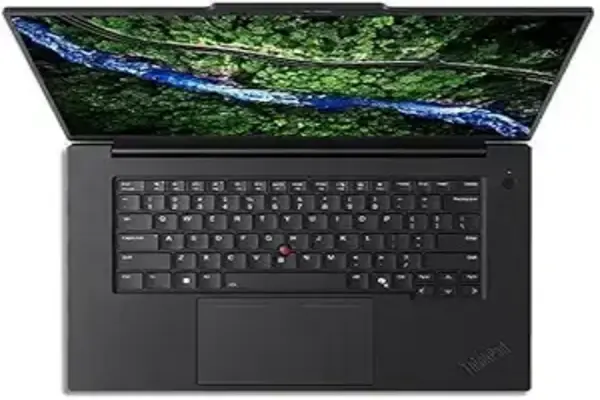
The thinnest high-tier professional workstation available, trading raw expansion capacity for an ultra-premium, lightweight carbon-fibre frame.
- Key Architecture: Intel Core Ultra 7 255H, Nvidia RTX PRO 2000 Blackwell, up to 96GB CAMM2/DDR5 RAM.
- The Structural Edge: Weighs less than 2 kg while maintaining full ISV (Independent Software Vendor) certification for flawless viewport tracking stability in Revit and Tekla.
Architecture Selection Matrix
To ensure stability across your core software suites, reference this minimum baseline requirement before buying:
- BIM Coordination / Point Clouds: Min 64GB RAM, Dedicated Enterprise GPU (RTX PRO Blackwell/Ada)
- Standard FEA Calculation/Design: Min 32GB RAM, High Single-Core Clock CPU (5.0+ GHz Turbo)
Reminder on Core OS Selection: Keep your operating systems strictly native to Windows. Core industry software—including Autodesk Revit, Civil 3D, ETABS, and Tekla Structures—either does not run natively on macOS or requires cumbersome virtual machine configurations that limit processing efficiency.
Check Our Recommendations:
- 10 Best Laptops for Civil 3D and Revit Right Now
- How to Choose the Best Laptop for Architecture in 2026
- The Best Gifts For Engineers To Make Them Smile in 2026
- Best Engineering Books For Engineers
- Best Laptop Brands For Engineers | All You Need To Know
- Home Furniture | Meaning and Type You Should Know in 2026
- Best Drones for Surveying and Mapping: Guide for Engineers
- 9 Best Monitors For Engineers and Architects 2026
- The 10 Usefully Measuring Tools and Equipment Right Now
- How to Choose the Best Apple Macs For Engineers and Designers