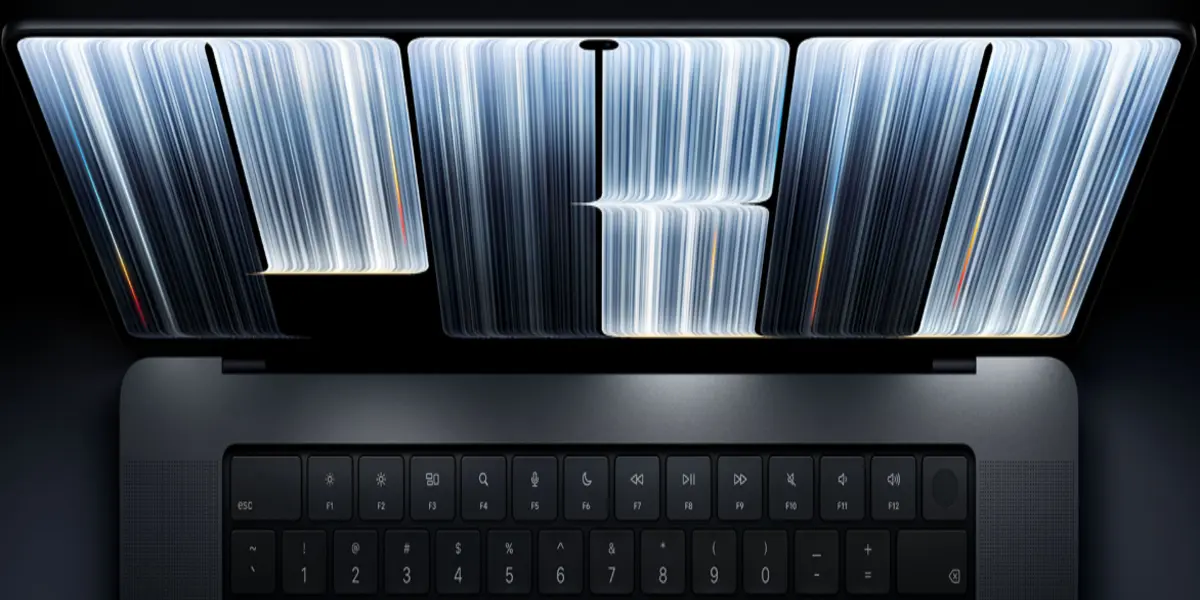
For over a decade and a half, Apple maintained a rigid design dogma: laptops are for indirect input, and touchscreens belong strictly on iPads.
Executives famously argued that leaning over a keyboard to touch a vertical display caused physical fatigue and that macOS was inherently optimised for the precision of trackpads and mice.
However, the technology landscape has shifted. The MacBook Pro’s introduction of the groundbreaking PROLED XDR (tandem OLED) touchscreen shatters this long-standing boundary.
For technical professionals, structural designers, and software engineers, this hardware leap is far more than a cosmetic refresh or a delayed concession to industry trends.
By integrating a responsive touch sensor directly into a multi-layered tandem OLED panel rather than laying a bulky digitiser on top, Apple has engineered a reference-grade display with ultra-low latency.
Here, we explore what this watershed hardware evolution means for engineering workflows, spatial design, multi-platform development, and field operations.
Recommended Articles
- Save $400 on Apple’s M5 Max MacBook Pro 16-inch with spacious 2TB SSD
- How To Choose the Best Laptops for Structural Engineers & BIM Managers (2026 Edition)
- ProtaStructure 2027: What You Need To Know Right Now
- Ultimate 2027 Hardware Specs for Autodesk Fusion: What You Need To Know
- The Global Frontier of AI: Best Universities for Artificial Intelligence Engineering
The Technology: Inside the PROLED XDR Panel
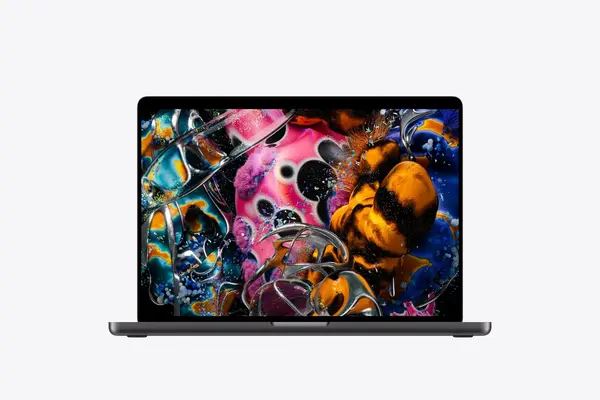
To understand how this affects engineering calculations and precision tasks, you first need to look at the hardware architecture.
The new MacBook Pro utilises a tandem OLED structure—scaling up the multi-emitting-layer technology originally pioneered in high-end tablet displays.
Unlike traditional single-layer OLEDs or back-lit mini-LED setups, tandem OLED stacks two self-illuminating pixel layers together.
This architecture delivers staggering performance metrics as follows:
- Brightness: Up to 2,000 nits of peak HDR and SDR brightness, alongside 1,000 nits of sustained full-screen brightness.
- Contrast Ratio: An extraordinary 10,000,000:1 contrast ratio, yielding absolute, true blacks with zero blooming or halos.
- Touch Integration: The capacitive touch grid is fused directly into the display manufacturing process, minimising air gaps and reducing input latency so that manipulation feels instantaneous.
For engineers who frequently work in varying environments—from harshly lit site offices to dim server rooms—this display eliminates compromises between mobility and desktop-class visual fidelity.
Transforming CAD, 3D Modelling, and Spatial Simulation
Traditional computer-aided design (CAD) workflows have long relied on a two-step abstraction: using a two-dimensional trackpad or mouse to manipulate complex three-dimensional space.
The arrival of a responsive, high-fidelity touchscreen changes this paradigm.
Direct Manipulation of Geometry
When reviewing complex structural assemblies, finite element analysis (FEA) meshes, or Building Information Modelling (BIM) files in tools like Autodesk Fusion, Blender, or Shapr3D, direct touch changes user interaction.
Panning, rotating, and zooming spatial models with direct finger gestures introduce an intuitive feedback loop.
You can scrub through structural layers, isolate specific stress concentrations, or manipulate node coordinates naturally, bypassing the friction of multi-key keyboard shortcuts for basic viewport navigation.
Ergonomics in Design Reviews
During collaborative client meetings or on-site constructability reviews, pointing at a screen to highlight a clash detection or clearance issue is instinctual.
With a sturdy, redesigned hinge built to counteract touch wobbling, engineers can walk stakeholders through live modifications without requiring an external mouse or desk setup.
Comparative Performance: Previous MacBook Pro vs. New OLED MacBook Pro
| Feature / Metric | Previous Liquid Retina XDR (Mini-LED) | New PROLED XDR (Tandem OLED Touch) | Engineering Impact |
| Display Technology | Mini-LED with local dimming zones | Tandem OLED (Self-illuminating pixels) | Absolute blacks, zero halo blooming around technical schematics. |
| Peak Brightness | 1,600 nits (HDR peak) | 2,000 nits (HDR & outdoor SDR peak) | Exceptional legibility under direct sunlight on construction sites. |
| Contrast Ratio | High contrast, localised dimming limits | 10,000,000:1 | Flawless differentiation of fine lines, grid intersections, and wireframes. |
| Input Method | Trackpad, Keyboard, External Mouse | Trackpad, Keyboard, + Direct Multi-Touch | Direct viewport manipulation and fluid gesture controls. |
| Form Factor (14-inch) | ~3.5 lbs, ~0.61 inches thick | ~3.0 lbs, slimmer profile | Enhanced portability for field inspections and mobile engineering consults. |
Streamlining Software Development and App Testing
For software engineers, DevOps specialists, and mobile app developers writing code for multi-platform ecosystems, testing touch-centric software has traditionally required constant device switching.
Unified Ecosystem Debugging
When building applications targeted at iOS, iPadOS, and macOS, developers can now interact with touch targets, custom gesture recognisers, and responsive layouts natively on their laptop display.
There is no need to context-switch to an attached iPad or simulator window to verify how a button responds to a tap or how a pinch-to-zoom gesture behaves.
Dynamic Island for Background Task Monitoring
The integration of the Dynamic Island into macOS serves as a dedicated hub for Live Activities and system processes.
For an engineer compiling massive codebases, running long database migrations, or rendering complex ray-traced simulations, background progress indicators remain visible without cluttering primary integrated development environment (IDE) real estate.
Field Engineering and Portability Enhancements
Engineering is rarely confined to a quiet office; site visits, plant audits, and structural inspections require hardware that is both rugged and optically precise.
- Weight and Profile Reductions: The removal of heavy backlighting layers in the tandem OLED panel allows the 14-inch model to drop half a pound (now tipping the scales at 3 lbs) and the 16-inch model to trim down to 4 lbs. This weight reduction eases the strain of carrying mobile workstations across active job sites.
- Outdoor Legibility: With 2,000 nits of peak outdoor brightness and an optional anti-reflective nano-texture glass finish, reviewing geotechnical reports or CAD layouts under bright sunlight is significantly easier.
- Enhanced Connectivity: Retaining robust I/O, including Thunderbolt 5 ports, HDMI, and an SDXC card slot—coupled with Wi-Fi 7 and Bluetooth 6—ensures field engineers can interface seamlessly with peripheral data loggers, laser scanners, and site cameras.
Potential Drawbacks and Considerations
While the hardware leap is monumental, engineering professionals must weigh a few practical considerations:
- Capital Expenditure: High-end configurations starting with M5 Pro and M5 Max chips command premium pricing, making justification dependent on high-ROI professional workflows.
- Ergonomic Adaptation: Extended vertical touch usage can still induce arm fatigue if relied upon for hours on end; touch is best viewed as a high-precision complement to keyboard shortcuts and trackpad gestures rather than a complete replacement.
- Software Optimisation: While major engineering suites will quickly adapt to leverage low-latency touch APIs, niche legacy software may require updates to fully optimise for direct touch input.
Summary Verdict On MacBook Pro
The arrival of the touchscreen MacBook Pro powered by the PROLED XDR display marks the end of an era of rigid hardware categorisation.
By marrying reference-grade visual performance with low-latency touch integration and formidable M5 Pro/Max processing power, Apple has built a tool that respects the rigorous demands of technical professionals.
For engineers, whether manipulating 3D structural assemblies, reviewing high-resolution site plans outdoors, or debugging multi-platform applications, this evolution bridges the gap between digital precision and physical interaction.
It transforms the laptop from a passive viewing pane into an active, tactile extension of the engineering mind.
Right now, the new 14-inch MacBook Pro starts at $2,899, and the 16-inch MacBook Pro starts at $3,399. Apple is taking pre-orders, and shipping will begin on November 6.
That’s all.
Like Our Page on Facebook | Pinterest | Share — to educate another engineer today and more.
Visit here for Our Engineering Recommendations.
Our Recommendations