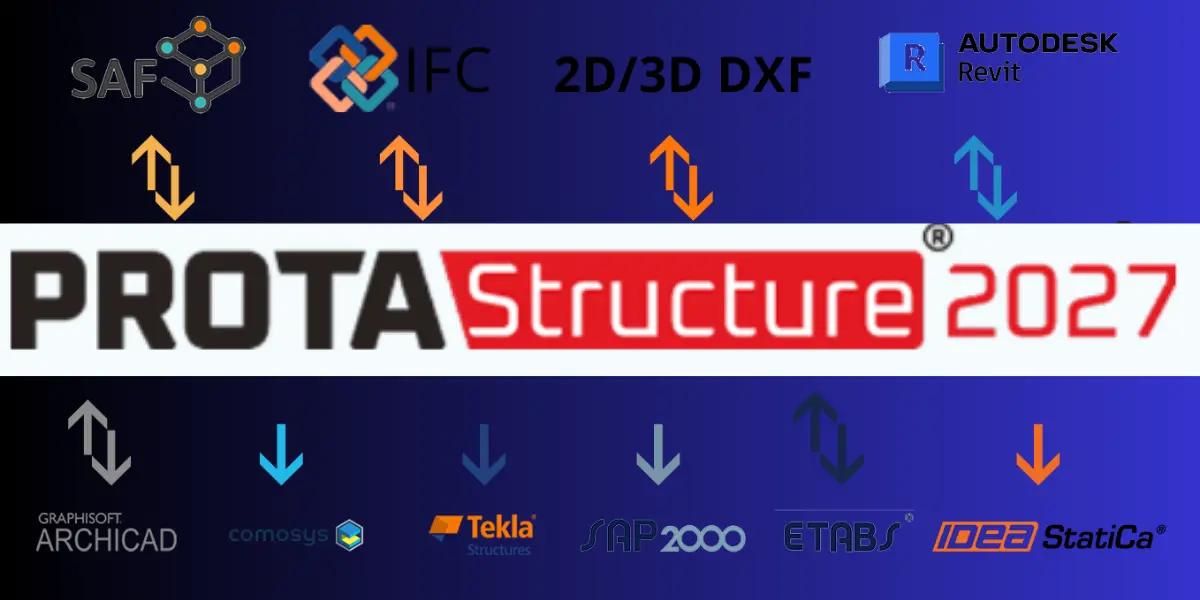
Structural engineering practices face constant pressure to deliver safer, more economical building designs on increasingly tight project schedules.
Managing multi-material structural models, tracking revision cycles across BIM applications, running complex computational finite element analyses, and producing submission-ready calculation reports often requires a fragmented software ecosystem.
The launch of ProtaStructure Suite 2027 addresses these engineering bottlenecks directly.
By bringing native cold-formed steel design into the core modelling environment, quadrupling structural solver performance, centralising authority documentation, and perfecting bidirectional BIM exchange, ProtaStructure 2027 redefines everyday building design.
Below is a comprehensive look at the five breakthrough capabilities in ProtaStructure 2027, complete with hardware benchmarks, competitor analyses, workflow comparisons, Recommended Hardware & System Specifications, and technical FAQs.
Also Read:
Native Cold-Formed Steel (CFS) Design & Modelling
Historically, modelling and designing light-gauge cold-formed steel (CFS) structures—such as roof trusses, wall framing, purlins, girts, and joists—forced engineers into fragmented workflows involving external design spreadsheets or niche secondary software.
ProtaStructure 2027 eliminates this friction by integrating cold-formed steel analysis and member sizing directly into its multi-material BIM interface.
Key Technical Capabilities
- Global Design Code Compliance: Fully supports international cold-formed steel specifications, including AISI S100-16/20 (LRFD and ASD), Eurocode 3 (EN 1993-1-3), and CYTHYE / TSC2016.
- Comprehensive Parametric Profiles: Features dedicated section generators for C-channels, Z-sections (with or without stiffeners), Sigma sections, top hats, and custom open/closed light-gauge geometries.
- Unified Finite Element Interaction: Cold-formed elements share stiffness matrices directly with hot-rolled framing and reinforced concrete substructures, ensuring precise structural load path distribution without artificial boundary assumptions.
Re-Engineered 4x Faster Structural Analysis Engine
As building projects grow in size and architectural complexity, finite element analysis (FEA) runtimes can slow down design iterations. ProtaStructure 2027 introduces a rebuilt sparse solver engine engineered specifically for high-degree-of-freedom structural matrices.
- Parallel Processing Optimisation: Benchmarked at up to 4x faster calculation speeds across dynamic, non-linear, and static load cases by utilising multi-core CPU hardware scheduling.
- Non-Linear Solver Stability: Delivers faster convergence for P-Delta geometric non-linearity, physical non-linear link elements, staged construction analysis, and non-linear concrete cracked-section checks.
- Large-Model Handling: Viewport interactions, stress contour rendering, and post-processing moment/shear force diagrams update in real time, even in models exceeding 100,000 structural degrees of freedom.
Rebuilt Centralised PDF Report Submission System
Assembling structural calculation dossiers for municipal reviews, client audits, and structural peer checks has historically required exporting separate PDF files from dozens of sub-modules and manually stitching them together.
ProtaStructure 2027 replaces scattered print dialogues with an integrated Report Submission Set control centre.
- One-Click Repository: Generate comprehensive structural calculation dossiers—covering concrete member design, steel connections, foundation analysis, base plates, and global drift summaries—from a unified interface.
- Automated Compliance Examination: The internal report auditor inspects the active building model and automatically flags any missing code checks, unchecked elements, or required calculation sheets before submission export.
- Drag-and-Drop Formatting: Engineers can reorder sections, embed 3D/2D visual snapshots, attach digital signatures, apply corporate cover branding, generate dynamic tables of contents, and insert QR verification codes in a single output stream.
Enhanced Bidirectional ETABS Interoperability
Modern structural consultancies rarely operate within a single software ecosystem.
To streamline collaboration between lead consultants, peer reviewers, and international partners, ProtaStructure 2027 introduces a completely updated ETABS BIM Integration Module.
- Seamless Parameter Translation: Import and export structural models without losing parametric member definitions, story heights, material properties, or grid orientations.
- Advanced Element Mapping: Maps complex structural shapes automatically, including concrete shear walls, non-orthogonal grid baselines, built-up steel sections, and parametric shape profiles (I/HE, RHS, CHS, L, T, and U-sections).
- Analytical Property Preservation: Retains stiffness modifiers, rigid diaphragm assignments, story drift check parameters, and response spectrum functions per ACI 318-19, Eurocode, and seismic codes across software transitions.
Automated Special Boundary Element (SBE) Checks & Spiral Staircase Design
ProtaStructure 2027 introduces specialised design automation tools targeted directly at complex lateral shear wall configurations and intricate architectural elements.
- Automated Shear Wall SBE Checks (ACI 318-19): Automatically determines Special Boundary Element (SBE) requirements for structural reinforced concrete shear walls using displacement-based formulation. The software calculates neutral axis depths, assesses strain limits, and outputs exact boundary zone dimensions along with required transverse tie arrangements.
- Parametric Spiral Staircases: Provides full structural modelling, FEA load distribution, deflection checks, and 3D reinforcement detailing for complex spiral staircases supported at flight boundaries or inner cores.
- Wide Shallow Beam Detailing: Supports up to seven shear link legs for wide shallow concrete beams, utilising intelligent width-checking algorithms to optimise stirrup spacing and bar placement automatically.
Feature Comparison: ProtaStructure 2027 vs. Legacy Versions
| Structural Feature / Capability | Legacy Versions (2025 & Earlier) | ProtaStructure 2026 | ProtaStructure 2027 |
| Cold-Formed Steel Modeling | External Spreadsheets / Manual | Basic Section Library | Native Multi-Code Design (AISI S100, EN 1993) |
| Analysis Solver Speed | Standard Single-Thread Baseline | Incremental Multi-Core | Up to 4x Faster Parallel FEA Engine |
| Report Generation | Multi-Module Separate Exports | Updated Sub-Module Output | Centralised Single-PDF Submission Set |
| ETABS Interoperability | One-Way Geometry Translation | Standard Import/Export | Full Parameter Bidirectional Synchronisation |
| Shear Wall Boundary Checks | Manual Displacement Calculations | Basic Strain Alerts | Automated Displacement-Based ACI 318 SBE |
| Spiral Staircase Engineering | Equivalent Straight Beam Approx. | Manual Load Transfer | Parametric 3D FEA Design & Detailing |
ProtaStructure 2027 vs. Key Market Competitors
To understand how ProtaStructure 2027 fits into the broader structural engineering landscape, here is a breakdown against other major structural software platforms:
| Engineering Capability | ProtaStructure 2027 | ETABS (v21+) | STAAD.Pro | Tekla Structural Designer |
| Multi-Material Modeling | Concrete, Hot-Rolled, CFS, Timber | Concrete, Hot-Rolled Steel | Concrete, Hot-Rolled Steel | Concrete, Hot-Rolled, Timber |
| Cold-Formed Steel Integration | Native in Main Workflow | Module Add-On | Module Add-On | Separate Module |
| Automated Rebar Detailing | Native (ProtaDetails / Steel) | Requires CSI Detail | Requires STAAD Advanced Concrete | Native Detailing Engine |
| Analysis Performance | 4x Accelerated FEA Engine | High-Performance Engine | Standard FEA Engine | Standard Multi-Core Solver |
| Authority Report Generation | Centralized PDF Submission Set | Multi-Dialog Export | Standard Text/Chart Reports | Built-in Report Builder |
Recommended Hardware & System Specifications
To run modern structural BIM software (such as ProtaStructure, Revit, and Tekla) alongside heavy Finite Element Analysis (FEA) solvers (like ETABS, SAFE, or STAAD.Pro) without viewport lag or calculation bottlenecks, your hardware needs to handle two distinct workloads: single-threaded modelling operations and multi-threaded matrix math.
Below is a breakdown of the target specs for smooth performance in 2026.
Hardware Specification Matrix:
| Component | Minimum Requirement (Small Projects) | Recommended Spec (Multi-Story / General Use) | High-Performance Spec (High-Rise & Heavy FEA) |
| Processor (CPU) | Intel Core i5 (13th Gen+) or AMD Ryzen 5 7000 | Intel Core i7 / i9 (14th Gen or Core Ultra 7/9) or AMD Ryzen 7 / 9 7000/9000 | Intel Core Ultra 9 / Xeon or AMD Ryzen 9 9950X / Threadripper |
| CPU Clock Speed | ≥ 3.5 GHz Base, 4.8 GHz Boost | ≥ 4.0 GHz Base, 5.4+ GHz Boost | High single-core boost + 16+ performance cores |
| System RAM | 16 GB DDR4 | 32 GB to 64 GB DDR5 (5600+ MHz) | 64 GB to 128 GB DDR5 (ECC optional for servers) |
| Graphics Card (GPU) | 4 GB Dedicated (NVIDIA RTX 3050 / GTX 1660) | 8 GB to 12 GB Dedicated (NVIDIA RTX 4060 Ti / RTX 4070 or RTX A2000/A4000) | 16 GB+ Dedicated (NVIDIA RTX 4080 / RTX 5080 or RTX A5000) |
| Primary Storage | 512 GB SATA SSD | 1 TB NVMe M.2 SSD (PCIe 4.0, ≥ 5000 MB/s) | 2 TB PCIe 4.0/5.0 NVMe M.2 SSD (≥ 7000 MB/s) |
| Secondary Storage | 1 TB HDD / SSD | 2 TB NVMe SSD or SATA SSD (For project archives) | 4 TB NVMe SSD / High-Speed Network Storage |
| Display | Single 1080p (1920×1080) | Dual 1440p (2560×1440) or Single 4K | Dual 4K Monitors |
| Operating System | Windows 10/11 (64-bit) | Windows 11 Pro (64-bit) | Windows 11 Pro (64-bit) |
Key Component Priorities & Bottlenecks
CPU (The Most Critical Choice):
- Single-Core Speed: Modelling operations, CAD drafting, geometry manipulation, and BIM updates in Revit or ProtaStructure rely almost entirely on a single CPU core. Look for high single-core clock speeds (GHz) and strong IPC (instructions per cycle).
- Multi-Core Scaling: FEA solvers (staged construction, non-linear dynamic analysis, 3D mesh analysis, and slab/raft stiffness matrices) utilise multi-threading. A processor with 16 to 24 cores (combining Performance and Efficiency cores on Intel or full Zen cores on AMD) drastically reduces runtime calculations.
RAM (Memory Capacity & Bandwidth):
- Size: 32 GB is the sweet spot for general structural engineering. However, complex 3D FEA raft foundations, large stiffness-matrix inversions, and multi-linked BIM models can easily push memory usage past 32 GB. If running FEA solvers while keeping large BIM files open simultaneously, 64 GB DDR5 is recommended.
- Speed: DDR5 running at high speeds (5600 MHz+) significantly reduces data transfer times between the CPU and memory during large matrix operations.
GPU (Viewport Performance):
- Dedicated graphics cards handle smooth 3D orbit, section shading, stress-contour mapping, and real-time mesh rendering.
- While structural software doesn’t demand top-tier gaming GPUs, a solid mid-range consumer card (NVIDIA RTX 4060/4070) or workstation card (NVIDIA RTX A-series) ensures fluid 60 FPS viewport manipulation on complex high-rise models without crashing display drivers.
Storage (Disk I/O):
- FEA solvers write large temporary files and binary stiffness matrices to disk during matrix reductions. Avoid legacy HDDs for working directories.
- Use a dedicated NVMe M.2 SSD (PCIe 4.0 or 5.0) to speed up model loading, file saving, and temporary FEA solver scratchpad operations.
Recommended Pre-Built & Custom Configurations
- Desktop Setup (Best Value & Upgradeability): Custom PC or Workstation (Dell Precision / HP Z-series) with an Intel Core i7-14700K or AMD Ryzen 9 7900X, 64 GB DDR5 RAM, NVIDIA RTX 4070 (12 GB), and a 2 TB NVMe SSD.
- Laptop Setup (For Field Work & Site Offices): Mobile Workstation (e.g., Lenovo ThinkPad P-series, Dell Precision Mobile, or ASUS ROG Strix) with an Intel Core i7/i9 or AMD Ryzen 9, 32 GB/64 GB RAM, NVIDIA RTX 4070/4080 Mobile or RTX 2000 Ada, and a high-resolution 16″ display.
Frequently Asked Questions (FAQs)
Does ProtaStructure 2027 support cold-formed steel detailing in ProtaSteel?
Yes. Cold-formed profiles designed in ProtaStructure 2027 pass directly into ProtaSteel. The detailing engine automatically generates cold-formed purlin lap joints, girt cleats, apex connections, eave brackets, and fabrication shop drawings.
Can I open project files created in older ProtaStructure releases?
ProtaStructure 2027 provides full backward compatibility. Structural project files from earlier versions (including 2026, 2025, and 2022) open seamlessly and migrate automatically to the updated 2027 database schema.
How does the automated SBE check in ProtaStructure 2027 reduce engineering time?
The automated Special Boundary Element module evaluates displacement demands across reinforced concrete shear walls per ACI 318-19. It tracks neutral axis positions, strain limits, and wall geometries to determine where SBEs are mandatory, calculating boundary zone lengths and transverse tie layouts automatically.
Is the 4x analysis speed improvement noticeable on standard low-rise projects?
While smaller structure models complete analysis runs rapidly across all software builds, the 4x performance acceleration is most dramatic when processing multi-story high-rises, large finite element mat foundations, complex dynamic response spectrum runs, and non-linear staged construction sequences.
At The End
ProtaStructure Suite 2027 removes key points of friction from the structural design process.
By incorporating native cold-formed steel modelling, accelerating finite element calculation runtimes, centralising submission report creation, and strengthening BIM data synchronisation, the platform enables structural engineers to produce optimised, compliant, and cost-effective designs in less time.
That’s all.
Like Our Page on Facebook | Pinterest | Share — to educate another engineer today and more.