Structural engineering consultancy has changed drastically over the past decade.
The days of modelling a building in one software, running calculations in another, re-entering geometry into a CAD drafting tool, and manually re-checking design codes are rapidly fading.
Modern structural firms require integrated workflows in which modelling, finite element analysis (FEA), code-compliant reinforcement design, dynamic seismic evaluation, and construction detailing occur under a single roof.
ProtaStructure has emerged as one of the most visible structural Building Information Modelling (BIM) platforms promising this exact end-to-end integration.
Designed specifically for multi-story reinforced concrete, structural steel, and composite building designs, ProtaStructure claims to drastically reduce design-to-detail cycles.
However, buying structural engineering software is a major operational investment. Is ProtaStructure worth the licensing costs and hardware investment for your consultancy?
In this comprehensive review, we evaluate ProtaStructure’s real-world capabilities, weigh its core pros and cons, detail its hardware requirements, compare it with market alternatives such as ETABS and Revit, and help you determine whether it belongs in your tech stack.
Also Read:
What is ProtaStructure?
Developed by Prota Software, ProtaStructure is an all-in-one structural BIM, modelling, analysis, design, and detailing platform.
Unlike traditional structural software that focuses strictly on frame analysis or member checks, ProtaStructure operates as a unified ecosystem.
The platform is split into three main interconnected engines
- ProtaStructure: The core 3D physical modelling environment where engineers define building grids, structural members (columns, beams, shear walls, flat slabs, pad/raft foundations), load combinations, and perform linear, non-linear, or seismic FEA analysis.
- ProtaDetails: An automated concrete detailing engine that converts designed RC members into fully annotated, code-compliant reinforcement drawings, bar-bending schedules (BBS), and quantity takeoffs.
- ProtaSteel: A dedicated structural steel connection design module capable of performing automated connection design, producing steel fabrication drawings, and outputting shop drawing packages.
Key Features & Capabilities
True Physical BIM Modelling
Instead of asking engineers to construct abstract wireframe analytical lines, ProtaStructure utilises physical structural objects.
When you place a slab drop, a sloping beam, or a core shear wall, the software handles both the physical representation for BIM coordination and the underlying analytical finite element mesh automatically.
Integrated Finite Element Analysis (FEA)
ProtaStructure features built-in 3D FEA modelling capabilities. It handles automated floor load distribution, tributary area partitioning, physical slab meshing, raft foundation design, and staged construction sequence analysis without requiring external FEA plug-ins.
Comprehensive Seismic & Code Design
The software supports major international building design codes, including Eurocodes (with national annexes), US Codes (ACI 318, ASCE 7, AISC).
It also supports British Standards (BS 8110, BS 5950) and various regional seismic standards.
It carries out automated Equivalent Lateral Force procedures, Response Spectrum Analysis, and non-linear push-over analysis for high-seismic zones.
Seamless Interoperability (IFC, SAF, Revit, ETABS)
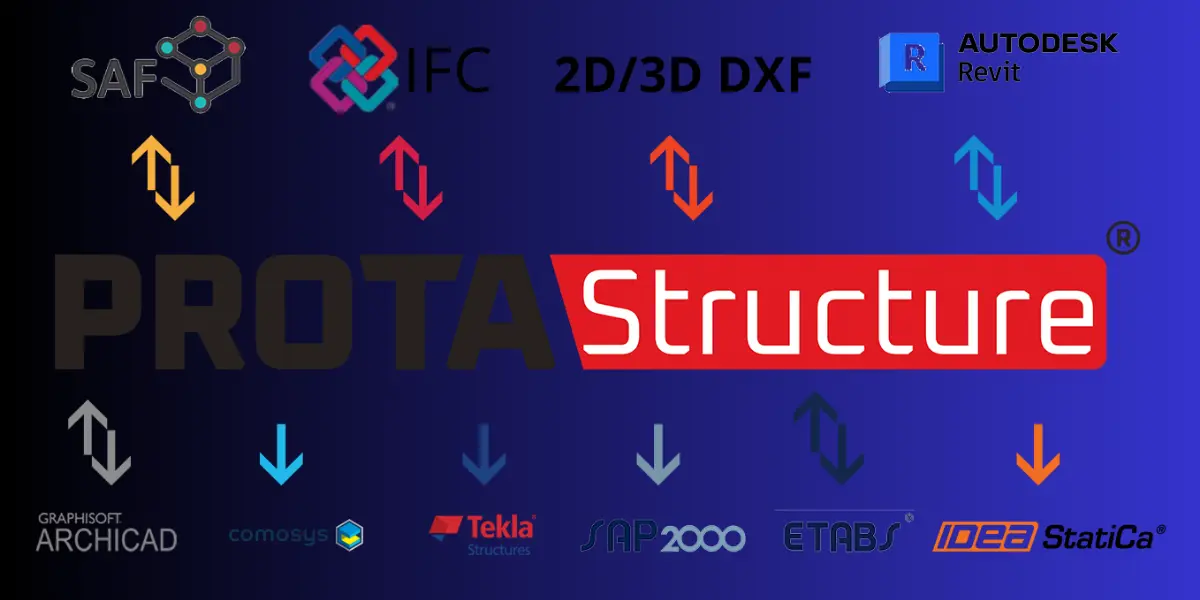
A structural model shouldn’t exist in a silo. ProtaStructure supports direct bi-directional synchronisation with Autodesk Revit, imports/exports ETABS and SAP2000 model files, and supports open BIM standard exchange protocols such as IFC and Structural Analysis Format (SAF).
Hardware & Workstation Requirements
To run ProtaStructure smoothly—especially when dealing with high-rise structures, large raft-foundation meshes, or complex steel-frame connection models—you need a modern workstation.
While ProtaStructure runs on 64-bit Windows architectures, relying on integrated graphics or low-tier office laptops will lead to severe UI latency during interactive FEA meshing.
| Component | Minimum Requirements | Recommended Workstation Specs | Enterprise / Mega-Project Specs |
| Operating System | Windows 10 or Windows 11 (64-bit) | Windows 11 Pro (64-bit) | Windows 11 Pro (64-bit) |
| Processor (CPU) | Intel Core i5 / AMD Ryzen 5 (Multi-core) | Intel Core i7 / AMD Ryzen 7 (High Clock Speed) | Intel Core i9 / AMD Ryzen 9 / Threadripper |
| Memory (RAM) | 8 GB RAM | 16 GB to 32 GB RAM | 32 GB to 64 GB High-Speed DDR5 RAM |
| Graphics Card (GPU) | Dedicated GPU with 2 GB VRAM (DirectX/OpenGL support) | Dedicated GPU with 4 GB+ VRAM (NVIDIA RTX / AMD Radeon) | NVIDIA RTX 4070/4080 or Quadro Series (8GB+ VRAM) |
| Storage | 1 GB Free Space on SATA SSD | NVMe M.2 Solid State Drive (500 GB+ free) | 1 TB NVMe M.2 SSD (Read/Write > 5000 MB/s) |
| Display Resolution | 1280 × 720 pixels | 1920 × 1080 (Full HD) | Dual 4K Monitors / Ultra-Wide 34″ Monitor |
Furthermore, avoid running ProtaStructure on computers using integrated Intel HD/UHD or AMD Vega graphics.
Hardware acceleration via dedicated OpenGL/DirectX drivers is essential for rendered 3D physical views and fluid rotation of complex reinforcement models.
Real Pros of ProtaStructure
These are the real pros of the software:
1. Unmatched Speed in Reinforced Concrete Design
Where traditional workflows require manually converting calculated steel areas into rebar quantities, spacing, and bending schedules, ProtaStructure automates the entire loop.
You design a beam, and ProtaDetails immediately generates cross-sections, elevation views, lap-length placements, and Bar Bending Schedules (BBS).
2. Reduced Human Error in Detailing
Manual draftsperson-to-engineer translation is one of the biggest sources of error on job sites.
Because ProtaDetails draws its rebar schedules directly from the FEA design outputs, member dimensions and rebar sizes always match calculated requirements.
3. Built-In Steel Connection Design
ProtaSteel eliminates the need to export your structural steel frames to separate third-party connection design tools. Baseplates, apex haunches, column-to-beam moment connections, and gusset plates can be designed and checked directly against AISC or Eurocode standards within the software.
4. Highly Intuitive User Interface
Engineers transitioning from standard 2D CAD packages find ProtaStructure’s interface significantly easier to pick up than legacy matrix-analysis platforms.
The ribbon toolbar, contextual visual property panels, and physical member selection make floor plan modelling fast.
5. Cost-Effective Licensing Models
Compared to subscribing to multiple isolated products (e.g., separate modelling, FEA, rebar detailing, and steel connection modules), ProtaStructure offers bundled licensing.
It provides flexible perpetual (lifetime) licenses as well as annual rental options.
Real Cons of ProtaStructure
The cons of the software include:
1. Less Suited for Highly Unconventional Civil Structures
While the software excels at multi-story residential, commercial, industrial, and institutional buildings, it is not built for complex non-building civil infrastructure such as long-span cable-stayed bridges, dams, or complex curved underground tunnels.
For these projects, specialised platforms like MIDAS Civil or CSI Bridge remain mandatory.
2. High Memory Consumption During Fine FEA Meshing
For massive multi-tower podium developments, applying dense finite-element meshing across non-orthogonal slabs can consume large amounts of system memory.
Laptops equipped with only 8 GB of RAM may experience significant slowdowns during solver runs.
3. Steep Detailing Template Configuration Curve
While automated drawings are a major selling point, getting ProtaDetails drawing outputs to match your local consultancy’s exact drafting standards, layering rules, and title block styles requires upfront configuration time.
ProtaStructure vs. The Competition
How does ProtaStructure stack up against industry stalwarts like ETABS, Autodesk Revit, and STAAD.Pro?
| Feature / Capability | ProtaStructure Suite | CSI ETABS | Autodesk Revit | STAAD.Pro |
| Primary Focus | Integrated BIM, Concrete/Steel Building Analysis & Auto-Detailing | Advanced High-Rise Building Structural Analysis & Seismic FEA | Architectural & Multi-Disciplinary BIM Authoring | General Purpose Finite Element Frame & Shell Analysis |
| Concrete Detailing | Native & Automatic (Via ProtaDetails) | Requires CSI Detail (Separate module) | Needs manual rebar placement or add-ons | Basic automated detailing |
| Steel Connection Design | Native (Via ProtaSteel) | Limited connection design | Requires structural connection extensions | Integrated via RAM Connection |
| Ease of Learning | High (Intuitive UI) | Medium | Medium to Hard | Medium to Hard |
| BIM Interoperability | Native Revit, IFC, SAF, ETABS sync | Strong (CSI Exchange, IFC) | Native industry BIM platform | OpenSTAAD, ISM, IFC |
| Best Suited For | Building design engineering consultancies wanting speed | High-rise commercial towers & complex dynamic analysis | Multi-disciplinary BIM coordination & drafting | General industrial structures, plants, and frames |
Is ProtaStructure Worth It? The Verdict
So, is ProtaStructure worth the investment for your structural consultancy or engineering career?
Buy / Adopt ProtaStructure If:
- You focus primarily on building design: If 80% of your consultancy work consists of residential apartments, commercial offices, schools, hospitals, or industrial warehouses, ProtaStructure will drastically cut your delivery times.
- You want to reduce drafting overhead: The automated generation of rebar schedules, slab reinforcement drawings, and steel fabrication details saves hundreds of hours of manual drafting.
- You need an integrated BIM workflow: A platform that can communicate bidirectionally with architectural models in Revit via direct integration or open IFC standards.
Look Elsewhere If:
- You design non-building infrastructure: If your primary domain is bridges, marine piers, dams, or heavy civil tunnels, choose specialised FEA suites such as MIDAS, CSI Bridge, or ANSYS.
- You only perform pure research-grade FEA: If your work revolves around research-level dynamic analysis or complex structural forensics, advanced packages like ABAQUS or ETABS Ultimate may better serve your analytical needs.
Frequently Asked Questions (FAQs)
Can ProtaStructure import models directly from Autodesk Revit?
Yes. The software features a dedicated bi-directional integration plugin for Autodesk Revit. Structural engineers can import architectural grids, columns, and walls from Revit into ProtaStructure for analysis and push back finished structural elements and reinforcement data directly into Revit.
Can ProtaStructure handle seismic design according to international codes?
Yes. ProtaStructure supports comprehensive seismic design standards, including Equivalent Lateral Force procedures, Response Spectrum Analysis, and non-linear push-over analysis in full compliance with Eurocode 8, ASCE 7, ACI 318, and regional standards.
What is the difference between ProtaStructure, ProtaDetails, and ProtaSteel?
They are components of the unified ProtaStructure Suite: ProtaStructure is the main 3D modelling, FEA frame analysis, and code design module. ProtaDetails handles automated concrete reinforcement calculation, detailing views, and bar bending schedule generation. ProtaSteel is dedicated to structural steel connection modelling, design, and fabrication shop drawing creation.
Does ProtaStructure support both perpetual and subscription licenses?
Yes. Prota Software offers flexible licensing models, including Perpetual (Lifetime) Licenses (one-time purchase) and flexible Rental Subscriptions (annual/periodic terms) depending on your firm’s cash flow preferences.
Will ProtaStructure run on a laptop with integrated graphics?
It is strongly discouraged. ProtaStructure relies on hardware-accelerated OpenGL and DirectX graphics APIs to render 3D physical models, FEA meshes, and complex 3D rebar layouts. A dedicated GPU with at least 2 GB of VRAM (NVIDIA or AMD) is required for reliable performance.
Conclusion
ProtaStructure has earned its place as one of the most efficient structural BIM design solutions on the market today.
By unifying physical 3D modelling, finite element analysis, concrete rebar detailing, and steel connection design, it bridges the gap between engineering design and structural drafting.
For structural engineering practices striving to improve productivity, eliminate drafting bottlenecks, and maintain compliance with international design codes, ProtaStructure is unquestionably worth the investment.
Ensure your team is backed by proper workstation hardware—particularly a solid multi-core CPU, adequate RAM, and a dedicated graphics card—to unlock its full speed and modelling potential.